About the Tool
The Discord Ultimate Embed Sender is a structured and user-friendly tool that allows you to design professional, highly customizable embed messages and send them instantly to Discord channels via webhooks.
This documentation guides you step-by-step with visual examples through all the features of the user interface.
1 Manage Channels
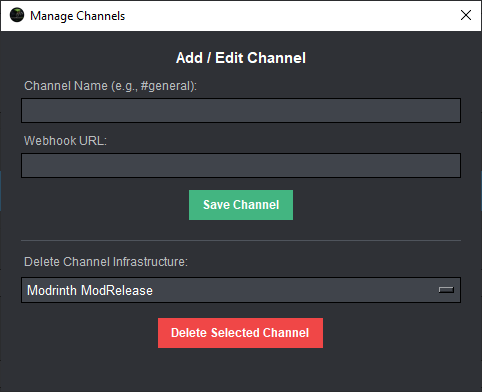
Clicking the Channels button in the top right of the menu bar opens the management window for your Discord connections. Here you can easily organize your target channels:
#announcement
)
along with the corresponding Discord Webhook URL
and click
Save Channel
.
Click image to enlarge
2 Designing the Embed on the Main Screen
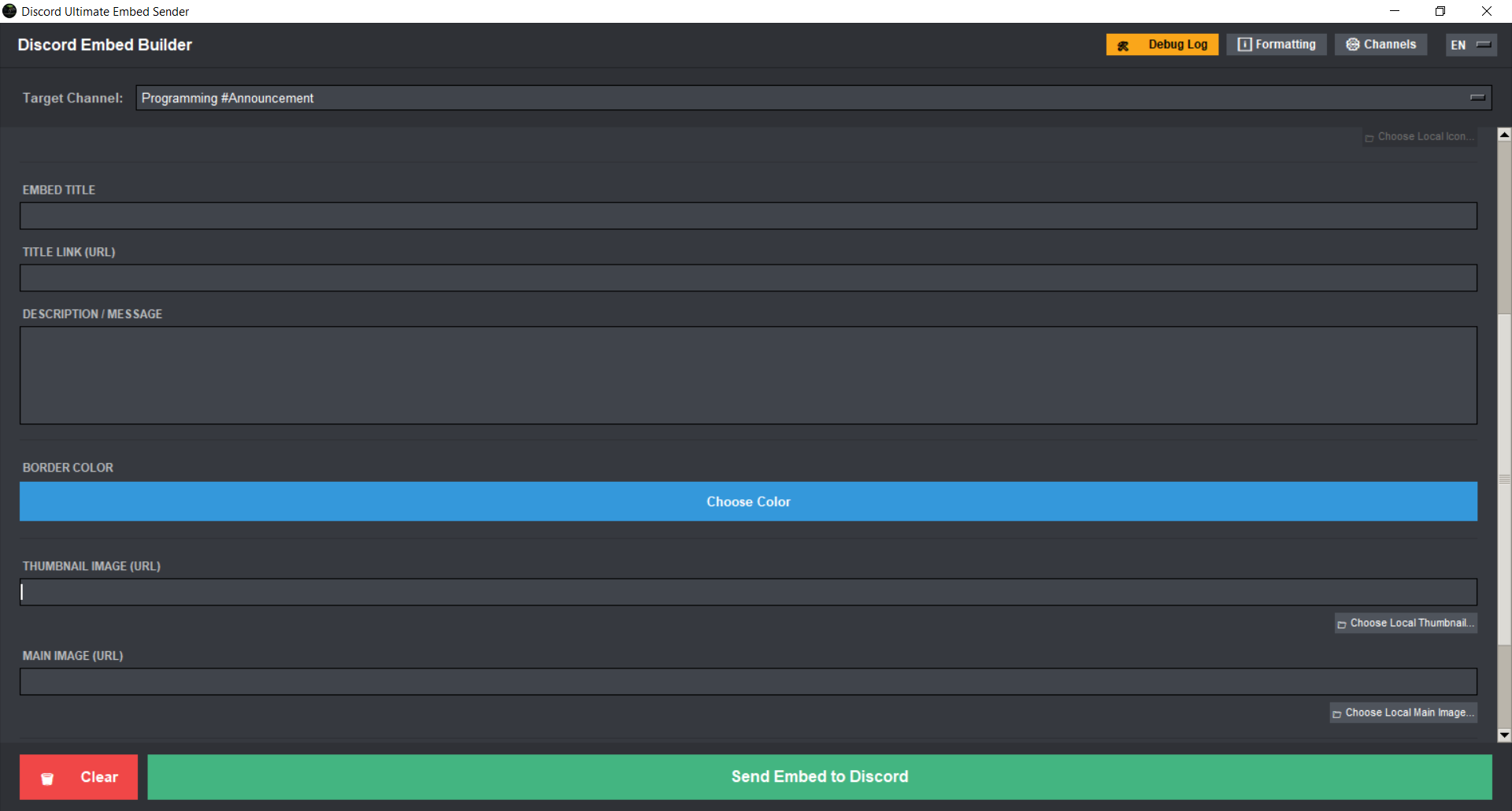
In the main menu, choose your desired target channel from the dropdown under Target Channel . Afterward, you can define the exact visual appearance of your message:
Text Elements
Set the Embed Title and optionally add a Title Link (URL) to make the heading clickable. Use the large Description / Message field to write your primary message body.
Colors & Media
Click the Choose Color button to set the accent color on the side (Border Color). You can also include a Thumbnail Image and a large Main Image directly via URLs or local files.
Click image to enlarge
3 Utilities & Real-Time Error Diagnosis
To make your workflow smoother, the software includes two integrated utility windows that can also be accessed via the top-right menu bar:
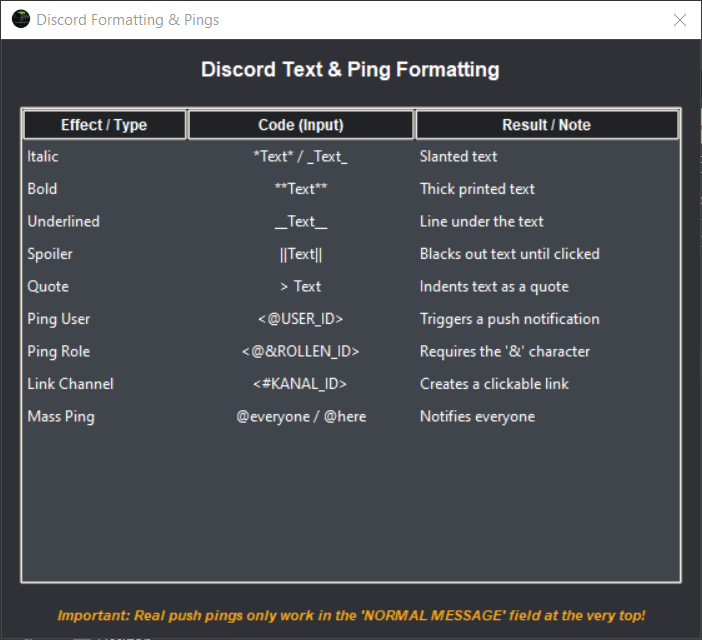
Formatting & Pings
A compact cheat sheet for Discord Markdown (Bold, Italic, Underline, Spoiler) and the exact syntax guidelines for mentioning User IDs, Role IDs, or Channels.
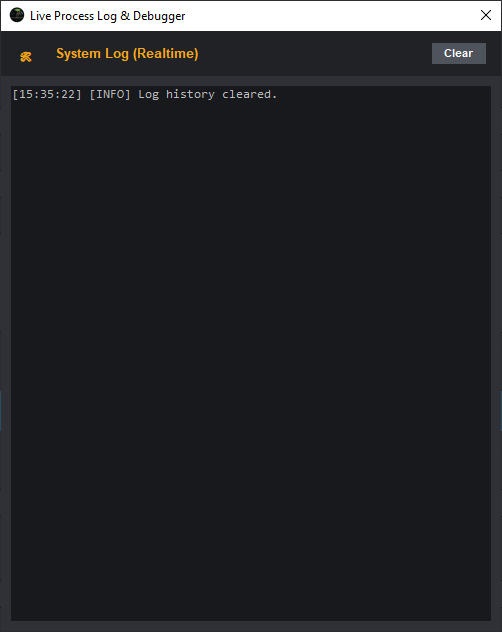
Live Process Log & Debugger
The built-in logger tracks all background activities in real time. If a webhook fails or a URL is unreachable, the error becomes immediately visible here.
Setup & Launch
Option 1: Standalone (.exe)
For Windows users, a pre-compiled, self-executable .exe file is available. It can be launched directly by double-clicking, without requiring any prerequisites or Python installations.
Option 2: Python Script
If you prefer running the source code manually, make sure Python is installed:
-
Install the required library:
pip install requests -
Run the tool inside the project folder:
python message.py
Both the executable application and the source code are available on GitHub:
Open Repository on GitHub