
Alan Walker Music
This mod brings the unforgettable sounds of Alan Walker directly into your Minecraft world!
Please update to this Minecraft Fabric version!
Introduction to the Mod
The core of the mod is a custom music disc featuring some of his most famous songs.
Additional features, mobs, villagers, and recipes are described below.
1 Custom Music Disc
This mod includes special music discs with Alan Walker tracks:
- Avalon
- Believers
- Creator Circle
- Dust
- Faded
- Incommunicado
- Moonshine
- Old Habits
- Time
- Welcome To Walkerworld
- Rise of the Drones
- Sailing
- Welcome to Lonely Club
- …and more
2 Custom Mobs
Three unique mobs can be summoned in your world:
Can be tamed with a diamond.
Protects you from evil mobs.
He attacks you and other mobs.
3 Custom Villager
Trades exclusive music discs for you!
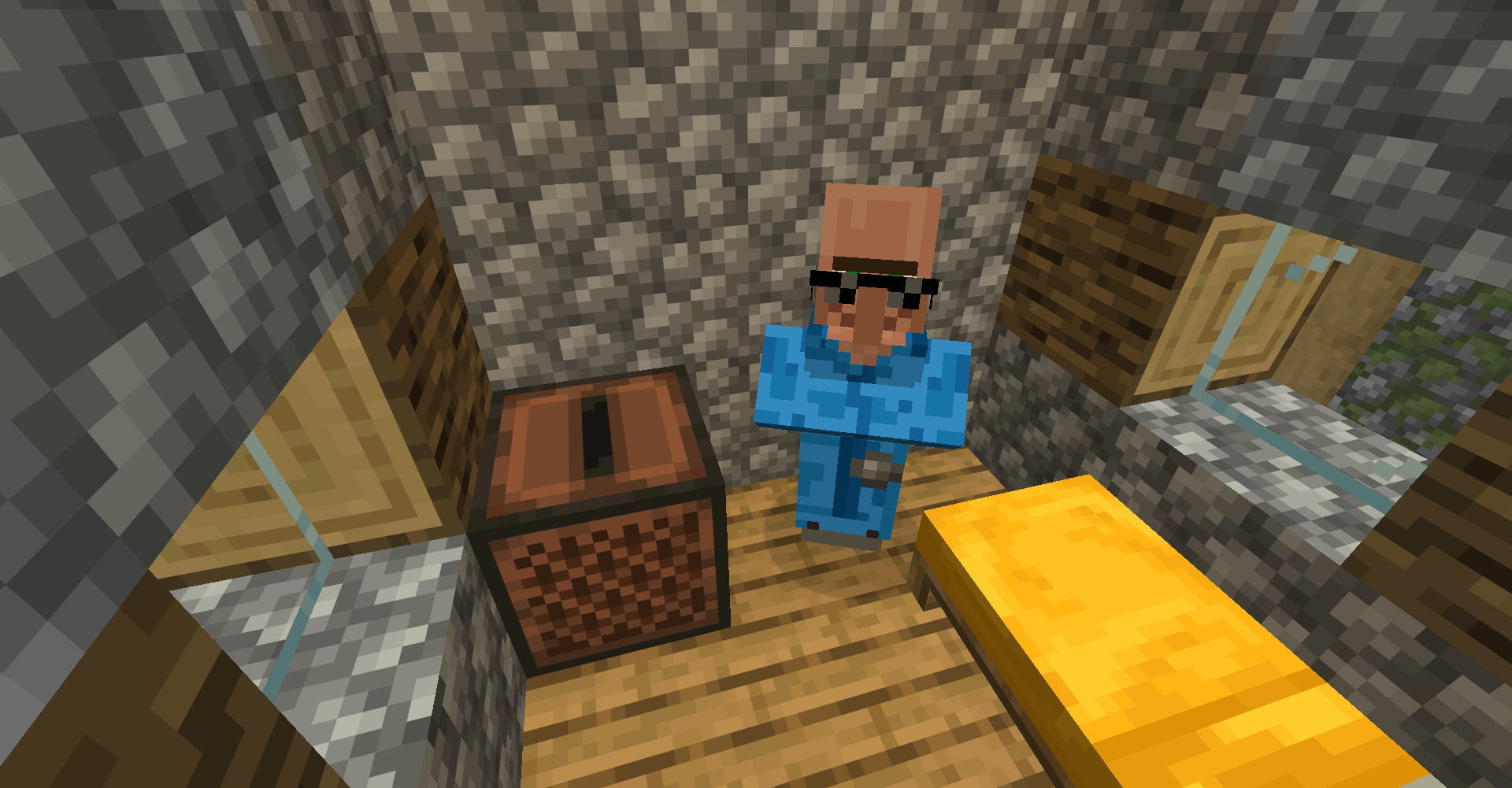
Click image to enlarge
4 Custom Recipes
Use crafting tables and unique ingredients to create special items:
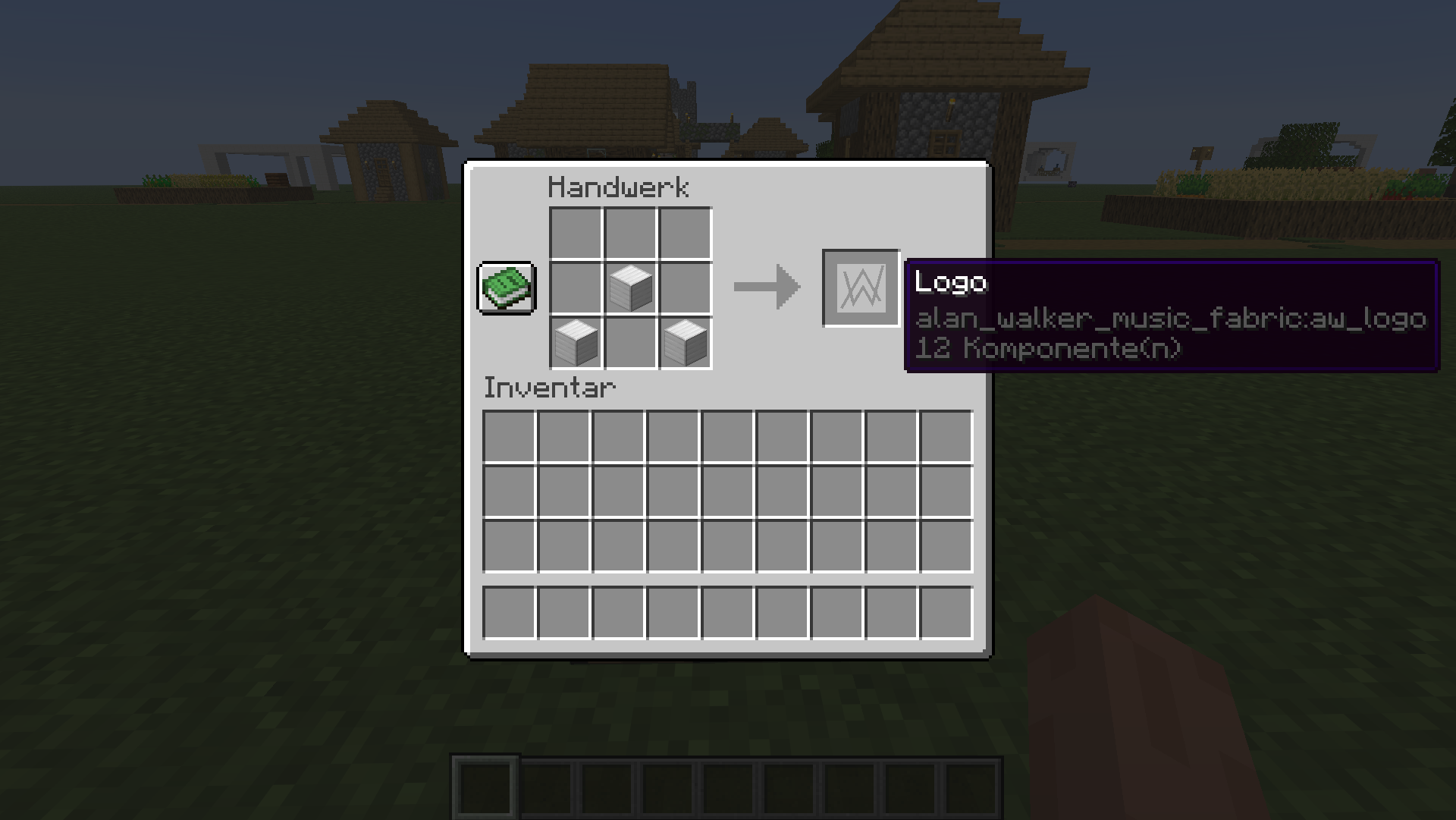
Click to enlarge
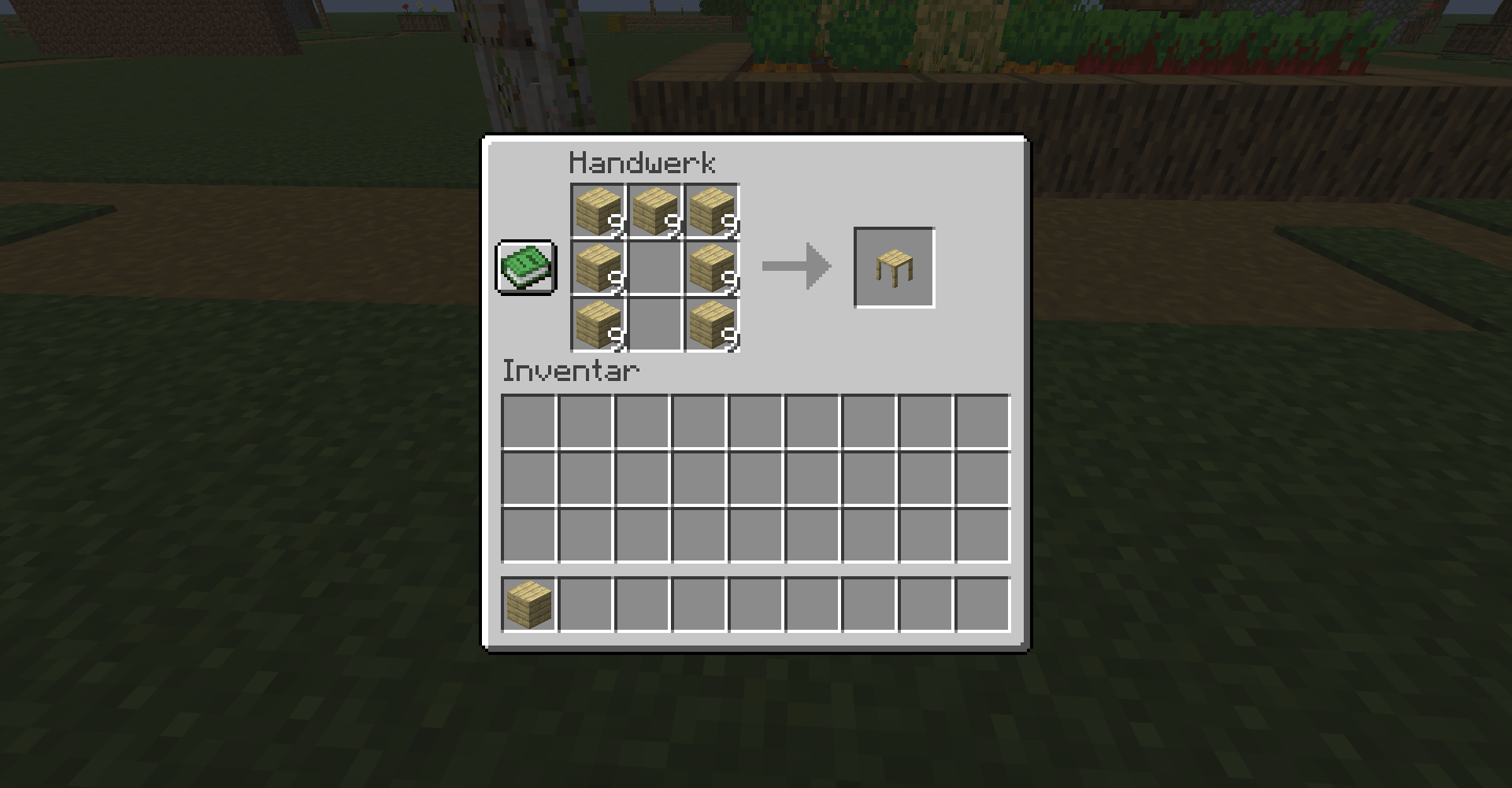
Click to enlarge
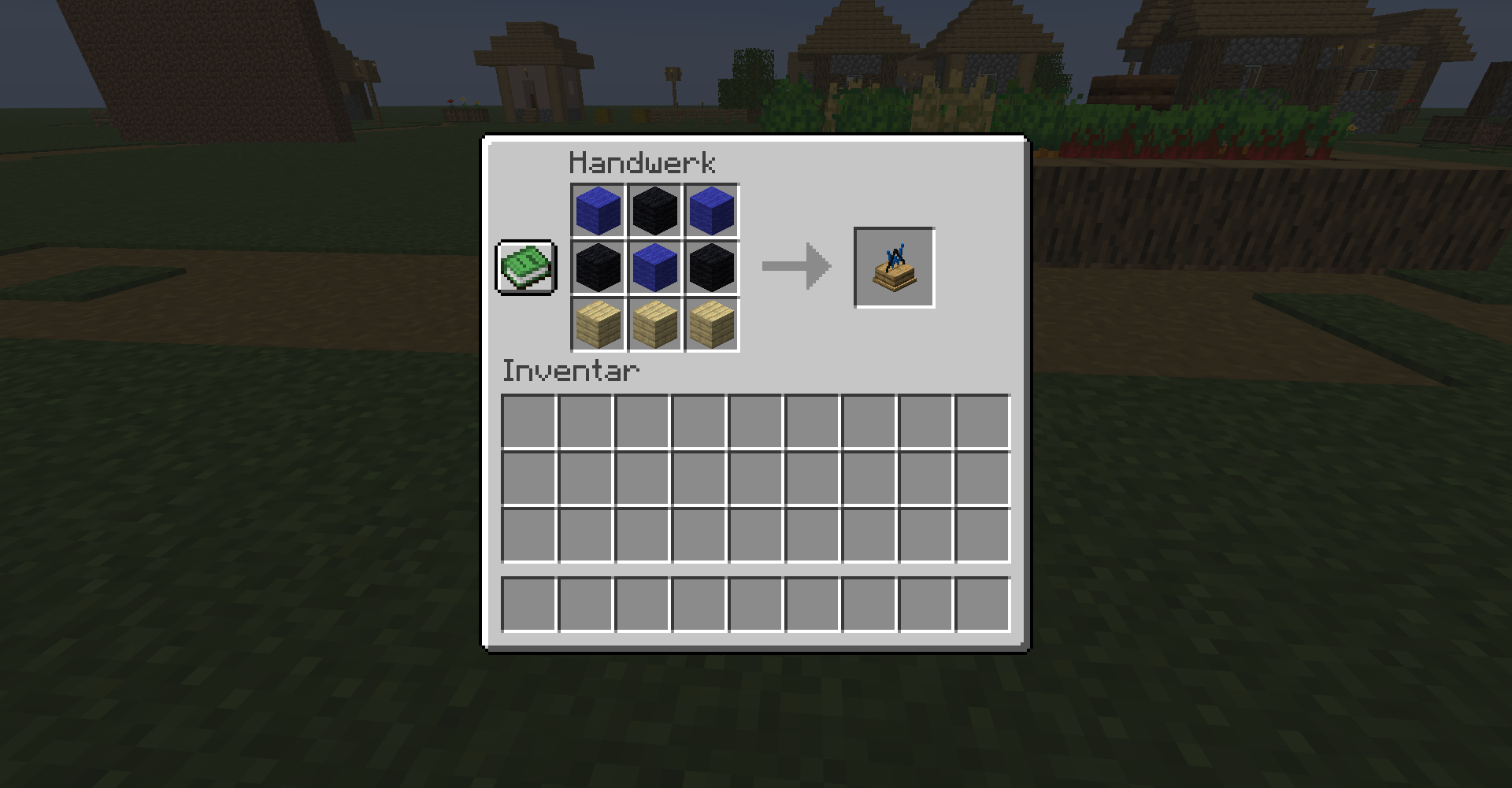
Click to enlarge
5 Installation
Method 1: Manual Installation
-
Ensure Minecraft & Fabric 26.1.2 are installed.
Installation link - Download the Alan Walker Music Mod .jar file.
-
Place it in your Minecraft
mods\folder. - Launch Minecraft with NeoForge to load the mod.
Method 2: Via Modrinth Launcher
You can also install it using the Modrinth Launcher. Simply search for “Alan Walker Music” and follow the prompts.
Method 3: Modpack Download
Download the modpack from Modrinth and import it into your Modrinth Launcher.
6 Commands
Use the following commands in-game:
/summon alan_walker_music:alan_walker
Summons Alan Walker mob.
/summon alan_walker_music:bodyguard
Summons The Guard mob.
/summon alan_walker_music:crazy_fan
Summons Crazy Fan mob.
/info
Display website info.
7 Map Download
Download the Custom Map:
Installation Overview
- Extract the downloaded ZIP file.
-
Place the extracted folder in your Minecraft
saves\directory. - Launch Minecraft and select the map from the Singleplayer menu.


-
Open the Minecraft folder by typing
%appdata%\in Windows search and press Enter. Then navigate to the.minecraft\folder. -
Open the
saves\folder. -
Unzip the downloaded ZIP file and drag the folder into your
saves\folder.